Best Software to Make YouTube Shorts in 2026
Making YouTube Shorts is easier than you think. You just need a tool that lets you cut, add text, and export fast. This intro will show why the right software matters.
Most creators waste time with big video editors that are slow on phone. A lightweight app keeps you moving and lets you test ideas in minutes. Imagine you have a funny clip, you trim it, slap on a caption, and publish before your coffee gets cold.
In the next pages we’ll compare the top options, walk through a quick edit, and give you a checklist you can copy. You’ll walk away knowing which app fits a phone-only workflow and which one works best on a laptop. And we’ll keep the advice practical, not tech-heavy.
If you also want to explore immersive video ideas, check out Everything You Need to Know About 360 Video Booth Rental for a full guide on renting a 360-video booth.
Ready to find the best software to make YouTube Shorts? Keep reading and you’ll get a short list, a quick demo, and a tip sheet you can use today.
Software #1: Clipper Next – AI-Powered Windows Shorts Creator
Clipper Next is a Windows-only desktop tool that turns long videos into viral Shorts in minutes. Paste any YouTube link and the built-in AI instantly finds the strongest 60-second moments, adds subtitles, resizes to the vertical 9:16 format, and exports in 1080p – all without any editing experience.
Because it runs locally on Windows, you get fast processing and full control over your footage. The interface is lightweight, so you can trim, add captions, and fine-tune the final cut with a few clicks.
Best of all, Clipper Next is offered as a lifetime deal, so you pay once and keep using the AI-powered workflow forever.
Give Clipper Next a try and see how quickly you can repurpose long-form content into engaging Shorts that capture attention.
Software #2: InVideo – All-in-One Shorts Creator
InVideo lets you turn a raw clip into a punchy Short in under five minutes. No heavy learning curve, just drag, drop, and hit export.
The platform offers hundreds of ready-made templates that are already sized for YouTube Shorts. You pick a vibe, swap in your footage, add a quick caption, and you’re good to go.
It works in a browser, so you can edit on a laptop or on a phone browser without installing a big app. The mobile view is trimmed down, but still lets you trim, add text, and choose a soundtrack.
So, what if you need to crank out three videos before lunch? InVideo’s batch export feature lets you line up several edits and export them all at once.
After you’ve trimmed the clip, take a moment to add a bold text overlay that matches the hook in your video. Keep the font big and the words few, viewers only have a few seconds to read.
Another handy trick is to save your favorite template as a preset. That way you can reuse the same style for every new short and keep your brand look consistent.
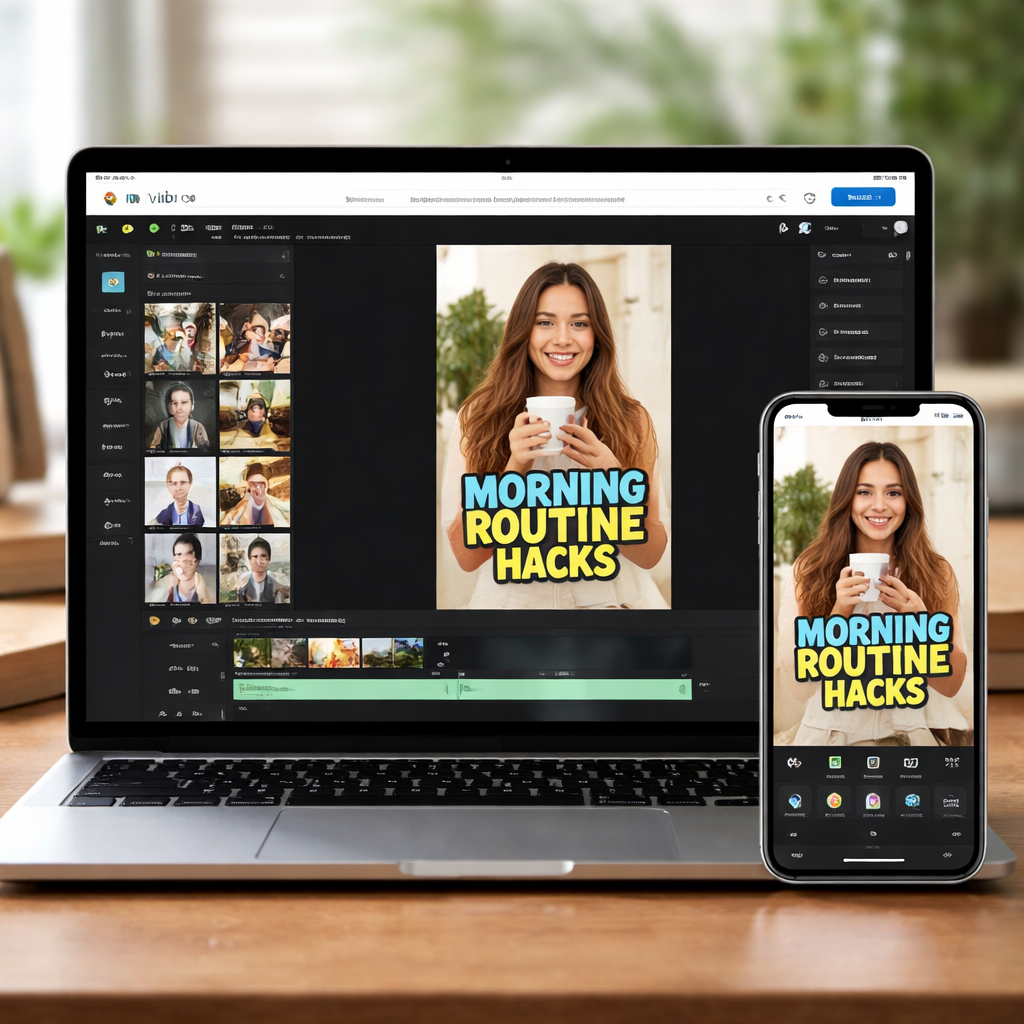
If you hit a snag, InVideo’s help center offers quick video guides that walk you through each step, so you’re never stuck for long.
Software #3: Adobe Premiere Rush – Fast Mobile Editing
Adobe Premiere Rush puts a solid editor right in your pocket. You can shoot, trim, add text, and drop a soundtrack without ever opening a desktop app.
The layout fits thumbs. Drag the clip to the timeline, tap the scissors to cut, then swipe up for text. Pick a font, size, and color in a few taps.
Need speed? The auto-sync feature lets you start on your phone and finish on a laptop without losing any edits. Your project lives in the cloud, so a quick hop to a bigger screen is painless.
But does it handle the short-form vibe? Absolutely. The aspect-ratio presets lock the video at 9:16, the exact size YouTube Shorts expects. No need to guess pixel dimensions.
Pro tip: Reuse motion presets
Rush has motion presets that add a quick zoom or slide. Save the ones you like as a custom preset, then apply with one tap on every new Short. It saves seconds and keeps style consistent.
Another handy shortcut is the “share to YouTube” button. When you hit share, the app automatically fills in the title field and tags you’ve set up, so you can publish while your coffee’s still hot.
Software #4: Canva Pro – Simple Design for Shorts
Canva Pro makes short video design so easy you could finish a Short while your coffee cools.
The web app works on any browser, so you can hop from phone to laptop without missing a beat. All the tools sit right in the canvas, so you never need a heavy download.
Need the perfect size? Canva locks the canvas at 9:16 with a single click. No guessing, no extra cropping.
Quick workflow
Drop your clip onto a ready-made template. Replace the text, choose a brand colour, and hit export. The whole process takes under a minute for most Shorts.
If you like a style, save it as a brand kit. The next time you start a video, the kit loads automatically and you stay consistent.
Another handy tip: use the built-in music library. Pick a short loop, trim it to fit, and the audio stays synced when you change the video length.
Feature snapshot
9:16 preset
One-click canvas size
Matches YouTube Shorts specs automaticallyDrag-drop templates
Hundreds of video templates
Saves time on design and layoutOne-click export
MP4 in 1080p
Ready to upload without extra conversion
Bottom line: if you want a browser-based tool that feels like a simple graphic editor but can crank out video Shorts in seconds, Canva Pro is a top pick among the best software to make YouTube Shorts.
Software #5: Kapwing – Online Editor with Auto-Resize
Kapwing lets you turn a raw clip into a polished Short without juggling dozens of apps. The web-based editor auto-resizes to 9:16, so you never have to guess the right canvas size.
Fast AI-boosted workflow
Type a simple prompt, pick a voice-over, and the AI builds a video with subtitles in seconds. You can then swap out the stock footage or music from the built-in library. The whole thing stays in one browser tab.
Key features for Shorts creators
- Auto-resize from landscape to portrait
- AI-generated captions
- One-click export to MP4
Software #6: Filmora – Beginner-Friendly Shorts Suite
Filmora feels like a friendly guide that lets you spin a Short in minutes.
Why beginners love it
- Templates for Shorts formats
- AI caption generator
- One-click export
Conclusion
You've now explored six powerful tools for creating YouTube Shorts.
FAQ
How does Clipper Next automatically find the best 60-second segment?
Clipper Next uses AI-driven video analysis.
Can I edit the AI-chosen clip?
Yes.
Does it work offline?
Yes.
Is there a watermark?
No.
What formats are supported?
MP4.